Wednesday, 17 June 2015

Bit of a mixed 'bag'.


Seen this code on my friends shopping bag and said i gotta have that!
I tried to scan the code but had great difficulty. I think a combination of the creases and also the bag material delayed my scan read out.  Eventually i got it scanned and it lead to a website that wasn't fully mobile optimised and looked too cumbersome to navigate from a mobile device.  I clicked on the offers section and it automatically downloaded a pdf to my phone files. When opened it displayed very effectively on the phone.

Conclusion: QR codes need to be printed on a surface that cannot become compromised. This bag will be folded away in a press for it's next use and therefore time after time the QR code becomes difficult to access. Also the material was reflective which perhaps also inhibited a perfect scan.
All in all, a bit of a mixed bag!

Monday, 8 June 2015

Find a job with a QR Code!


Next to the checkout in Holland & Barrett, i came across a card which advertised that they were hiring. It gave the long email address of www.hollandandbarrett.ie/careers and a phone number but also a QR Code.

The QR Code though i thought was a little small scanned perfectly. It brought the potential employee onto a really good mobile optimized site.

Conclusion: This QR code activity used for job recruitment is a great idea especially if the web address is long. It is also a reminder to them if they take the card home to apply for/and how to apply for the position.  From a business point of view, potential interest of the position can be viewed if the QR Code is managed (analytics).


Friday, 5 June 2015

Feedback made simple!


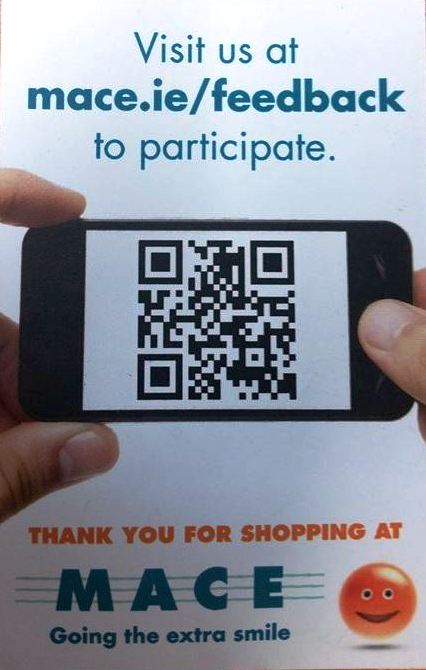
In the space of one week, i have seen 2 QR Codes used for customer feedback.
It certainly is a great way to entice customers to review a product/service.

Instead of having to log in to a website and find the link to do this, it is made much simple by targeting the customer to the direct page.  Again they are probably more likely to review service shortly after the experience so having this on the receipt is making the review process easier for the user.

The QR codes in both examples are an effective size plus they lead to a mobile optimized site.
Well done Halfords! Well done Mace!

Wednesday, 3 June 2015

Use a Social Media link if you don't have a mobile optimized site!


Today I scanned my lunch. Good to see QR Codes appearing on an Irish soup product.
However, after scanning i get to a non-mobile optimized website.

We already learn the web address as this is stated above the code. Yes it might bring us there faster but what's the point! I can't view this on my phone without pinching outwards.

Instead, if you want to use a QR Code and don't have a mobile website - bring the user to a social media site as this is already mobile optimized. Let's make QR Codes user friendly. Remember one bad experience may cause the user not to bother in the future.

Tuesday, 2 June 2015

Don't forget the printers!!!


So you think you have your QR Code all worked out. This QR code scans somewhat well on the Sweet'N Low sachet on the left though a little on the small side and missing a quiet zone. Nevertheless it does scan after a few seconds.

Size note:


However, the QR Code on the sachet on the left does not scan at all.  This is where it is very important to have the printers on board if you are serious about your QR Code Campaign. Additionally, there is no indication on these sachets what the QR Code will result in, for some it could be a just a product type code for the manufacturers. Luckily, it does bring you to a mobile optimised website.

Conclusion: Identify with your printers that the main space of you QR Code must not compromised otherwise it is useless to have this on your product.

Tuesday, 20 May 2014

What a diffence a page makes....

Algarve Airport Guide - QR Codes

On page 1 of this brochure there is a very dense QR Code. This does scan but brings you to a deadend link. Offering scheduled timetables with QR Codes can be done correctly when using a system that is managing the QR Codes for you. In this way, when you update the information the QR Code design remains the same. This should have been done in this case.
However, a lot of QR Codes are just added as an extra facility to users and unfortunately are not managed. The business must manage their QR Code as items such as Airport brochures are kept for referral at a later date. Schedules to change but your QR Code doesn't have to!

The next page (page 2) on the same brochure - has a QR Code that is in fact a method of downloading an app. The QR Code scans much faster and is notably less dense. See example below. It refers the user to click Android, Windows 8 or Apple IOS . In my case if is (of course) an Android which bring to the Play Store for the installation to commence. 

What a difference a page makes!!!

Apologies images aren't great quality

                            Page 1                                                                    Page 2

Thursday, 8 May 2014

QR Codes mades simple by business!

I'm just loving Topaz 'Park & Play'....
They have QR Codes on coffee cups to direct users to their prize winning campaign Park & Play which is effectively a very good mobile app.

When you download the app on your phone it lets you access such things as your current loyalty points, specific offers for you and the nearest topaz station. A QR code is also accessed from the home page (see below) of the app that is scanned every time you make a purchase simply by pointing your phone (QR code) towards the cashiers scanner that is situated on the counter facing you.

Even if you don't have an internet connection this page will open up for you.

Like all good QR Code management, Topaz additionally supply customers with key tags  (see below) that also display the QR Code which are superfast when scanned at the store.

This is an example of good QR Code used by business. It's simple, fast and effective.
Hope to see more like this : )